> For the complete documentation index, see [llms.txt](https://docs.lightningrails.com/llms.txt). Markdown versions of documentation pages are available by appending `.md` to page URLs; this page is available as [Markdown](https://docs.lightningrails.com/getting-started/lightning-landing/publish-your-landing-page.md).
# Publish your landing page
Let's publish our landing page for free forever.
### 1. Enable GitHub pages
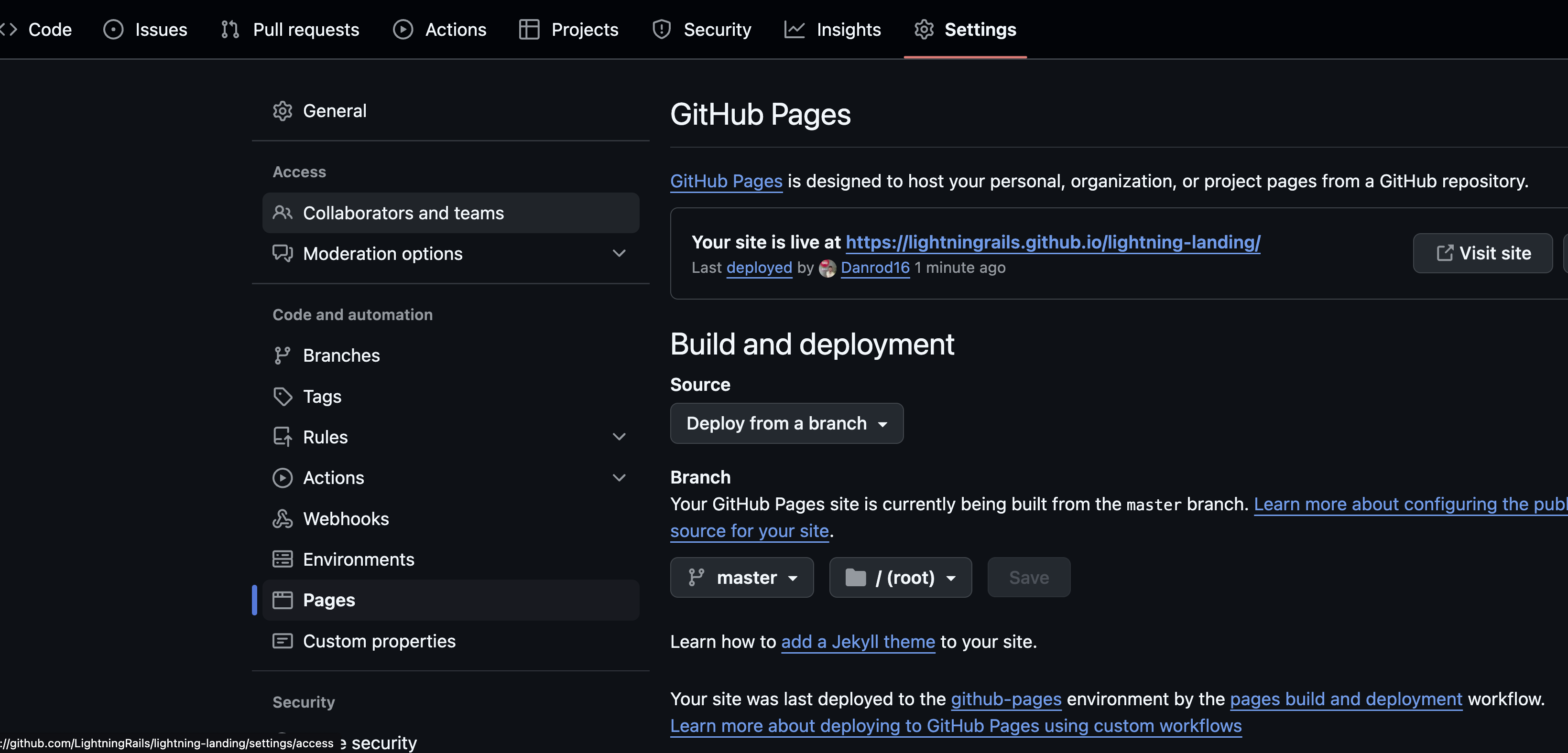
After pushing your latest changes, go to the project Settings > Pages
Project settings > pages
Once in the page settings, select a branch that will be the source of your page. In our case, we will choose `master`.
Now you can click on "visit site, and you will have your landing page hosted on GitHub servers For Free, Forever. No more paying 14€ to Wix or Squarespace for a simple landing page.
### 2. Add a custom Domain
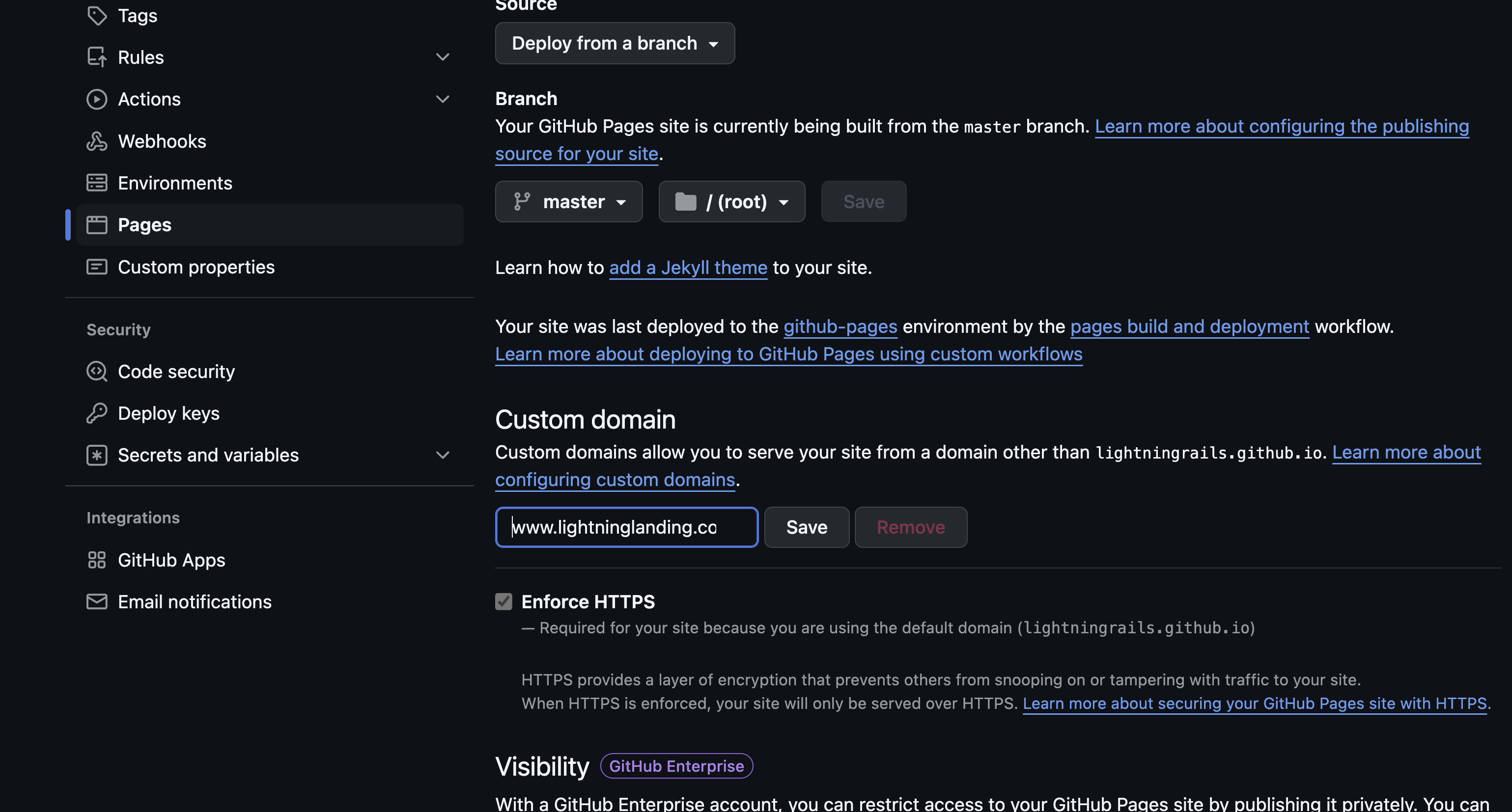
If you want a professional landing page, We strongly suggest adding a custom domain, it's as easy as adding the custom domain on the GitHub page settings:
Add a custom domain
Et Voila, every time you modify your HTML and push to the GitHub repo, your website will get updated. 🤝
### Going Further
If you liked this simple boilerplate, check Lightning Rails, the best Ruby on Rails boilerplate to build SaaS web apps in no time.
{% embed url="" %}